Microsoft has introduced Translytical Task Flows (Preview) in Power BI, enabling users to perform transactional actions like creating, updating, deleting records, and triggering workflows — all from within a Power BI report. This innovation transforms Power BI from a purely analytical tool into a real-time, interactive platform that supports operational decision-making. Users can now move seamlessly from insight to action without switching applications.
Scenario: Streamlining Lead Qualification for Sales Managers
A sales manager regularly monitors a Power BI dashboard that consolidates leads from web forms, campaigns, and events, providing real-time metrics like source, score, status, and engagement.
Previously, qualifying a high-potential lead (e.g., score above 80, confirmed budget, and contact made) required switching to Dynamics 365 or another CRM system — disrupting workflow and delaying follow-ups.
Now, with Translytical Task Flows, the manager can qualify leads directly within Power BI. This seamless integration boosts efficiency, shortens response time, and unifies insights and actions in a single interface.
Step 1: Enabling Required Features for Translytical Actions in Power BI
Follow the steps below to set up the required features and dependencies that allow Translytical Flows to function.
Step1: Enable required Power BI Settings.
- Open Power BI desktop.
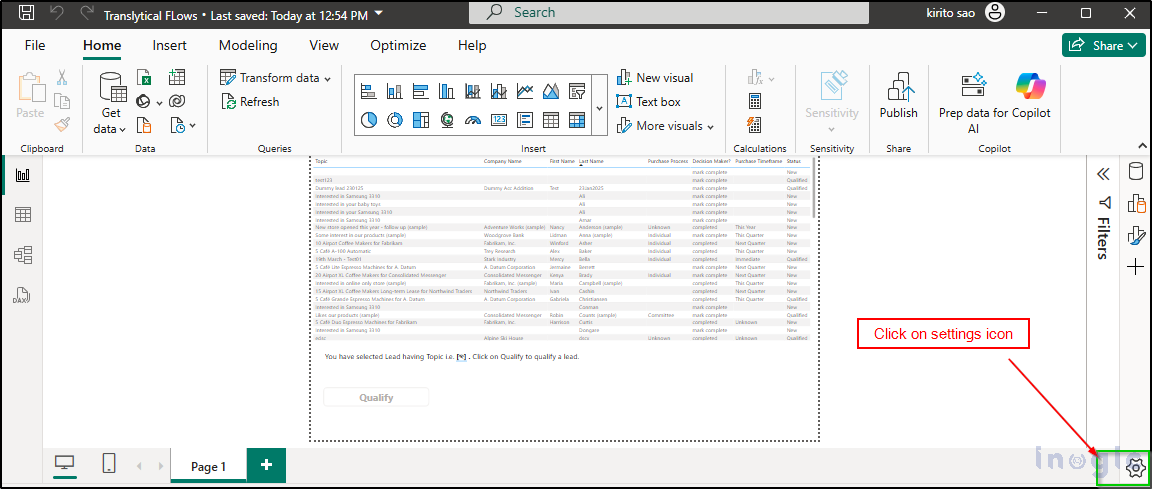
- Click on the Setting icons as displayed below:
Read More>>


