In modern enterprise applications, integrating external systems with Microsoft Dataverse has become increasingly common for automation, analytics, AI-driven workflows, and scalable CRM integration.
In the previous blog, we demonstrated how to perform CRUD operations in Microsoft Dataverse using Python with MSAL authentication, Dataverse Web API, and manual HTTP request handling. This approach required developers to manually construct requests and manage API communication logic.
In the recent blog, we used the Microsoft Dataverse Python SDK PowerPlatform-Dataverse-Client, which still works on top of Dataverse Web APIs but provides inbuilt Web API functions in Python. This reduces manual effort and makes CRUD operations simpler, cleaner, and more maintainable.
Please find below steps to perform CRUD operations using above:
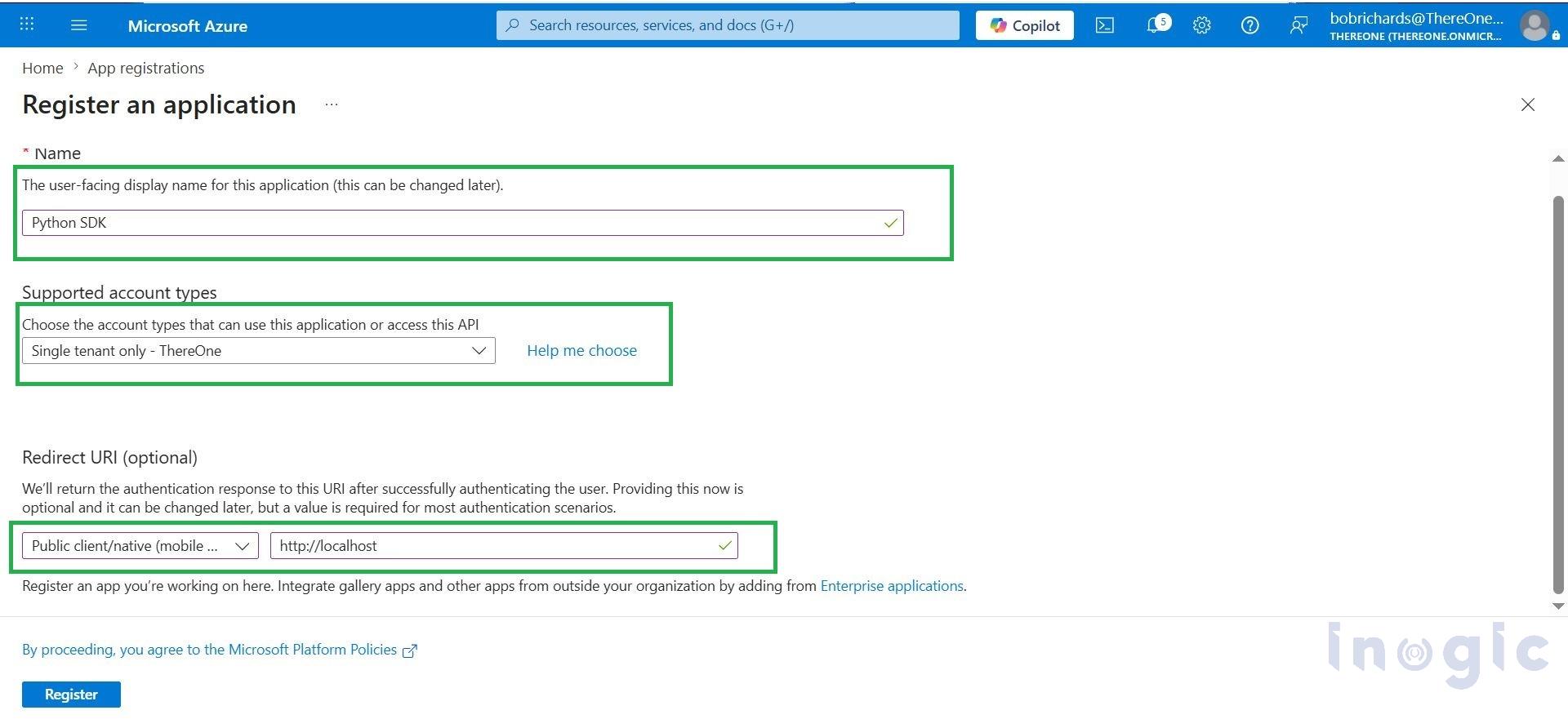
Step 1: Create App registration on azure portal
Please redirect to Azure Portal
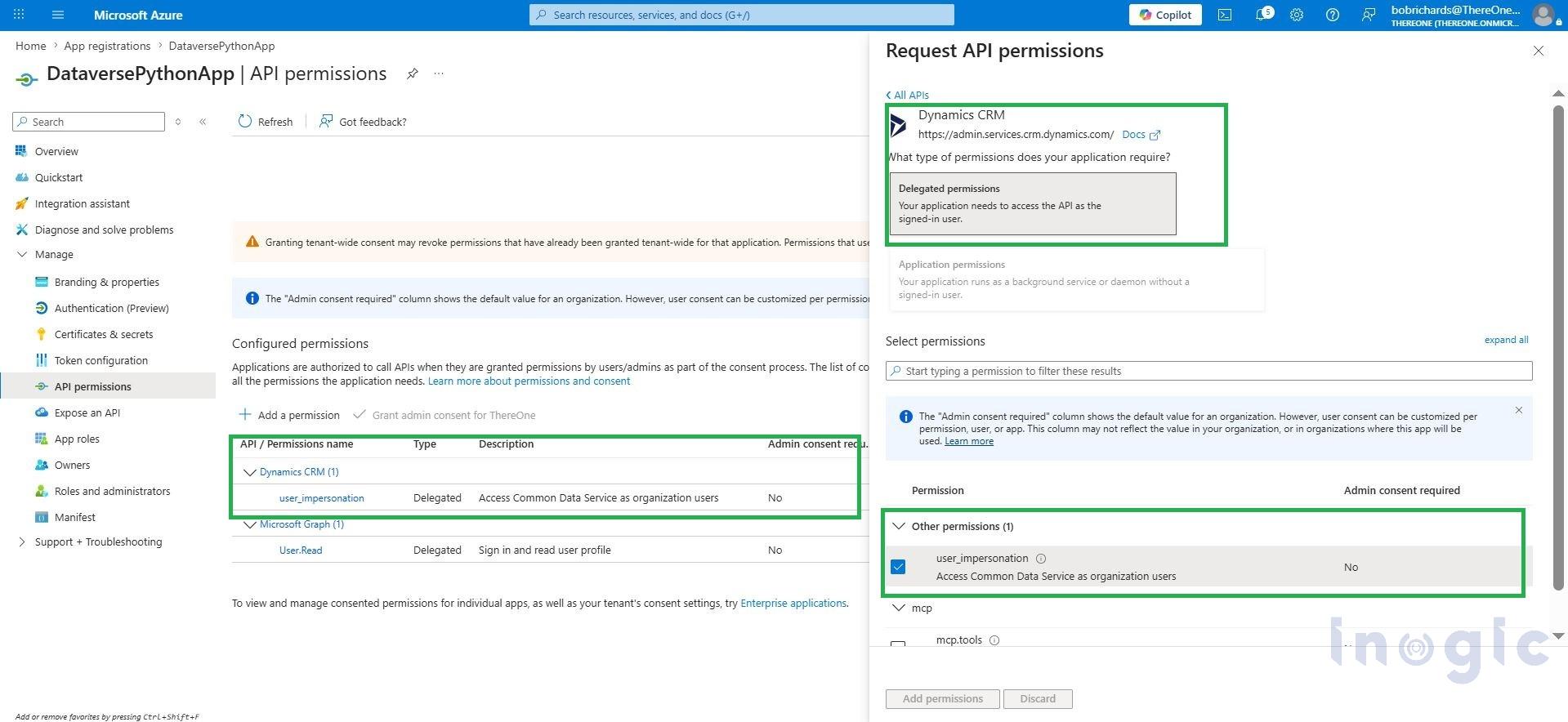
 Step 2: Configure API Permission to create azure app
Go to API Permissions > Add Permissions > API my organization uses tab
Add Permission: Dynamic CRM > select User Impersonation > Grand Admin Consent.
Step 3: Import Library from Power Platform Dataverse Client and Azure identity
pip install PowerPlatform-Dataverse-Client
Import packages... Read More





