




 1,291
1,291 Like
Like Share
Share
 Report
Bulk Reassignment of Bookings to a Different Resource
Dispatchers in field service often need to reschedule multiple bookings at once due to technician absence, emergencies, or sudden priority changes. Handling each booking individually is slow and increases operational effort. It also makes workload balancing difficult when several jobs must be redistributed quickly across resources. In high-volume environments, this can lead to delays and manual errors. To overcome this inefficiency, Microsoft introduced this capability in Dynamics 365 Field Service to allow schedulers to handle multiple assignments together. This helps reduce manual effort, improve scheduling speed, and ensure more accurate and consistent updates while managing disruptions more efficiently.
The duration and timing of reservations are kept constant, guaranteeing continuity as ownership changes smoothly. Without requiring laborious human changes, bulk reassigning helps balance workloads, minimise scheduling problems, and maintain service continuity.
Business scenario:
Suppose a dispatcher in your organization is responsible for managing technician schedules, balancing workloads, and ensuring service appointments are assigned efficiently. If Tech A is overloaded with 12 jobs while Tech B has available capacity, manually updating each booking would take significant time. Using the bulk move feature, the dispatcher can select multiple bookings from Tech A and reassign them to Tech B in a single action. This helps streamline scheduling, reduce manual effort, and improve resource utilization.
Getting Started with the feature:
- Navigate to the Schedule Board.
- Select multiple bookings by holding the Ctrl key on the keyboard.
- Right-click on the selected bookings and choose the Reassign to option.
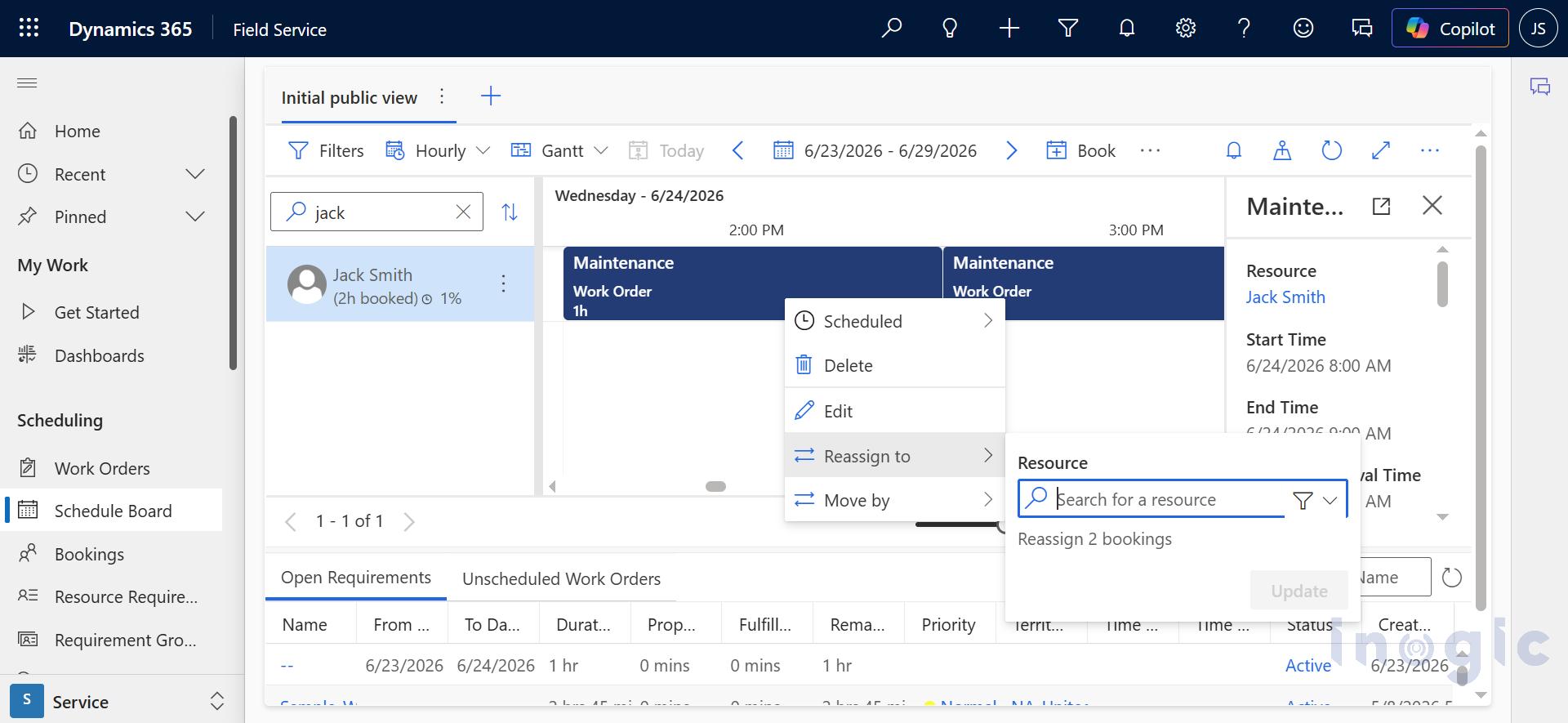
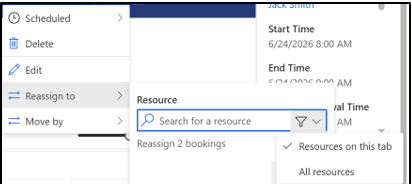
When you enter any character, all resources containing that character will be displayed in the dropdown list... Read More
*This post is locked for comments