




 1,297
1,297 Like
Like Share
Share
 Report
Creating a marketing campaign takes time and careful planning. From designing the email to selecting the right audience, every step plays a role in its success. However, even well-planned campaigns don’t always deliver the expected results. When engagement falls short, marketers often spend hours reviewing reports and analyzing campaign performance to understand what can be improved for future campaigns.
- Was the audience targeted correctly?
- Could a different subject line have performed better?
- Was the email sent at the right time?
- What changes can improve the next campaign?
Finding these answers usually involves reviewing multiple reports, comparing previous campaigns, and relying on past experience. While this approach can be effective, it is often time-consuming.
To simplify campaign optimization, Microsoft introduced the Outreach Optimization Agent in Dynamics 365 Customer Insights – Journeys. It analyzes campaign performance and provides AI-driven recommendations, helping marketers identify opportunities to improve future campaigns without spending hours reviewing analytics.
Steps to enable Outreach Optimization Agent (Prerequisites)
- Go to Dynamics 365 Customer Insights – Journeys
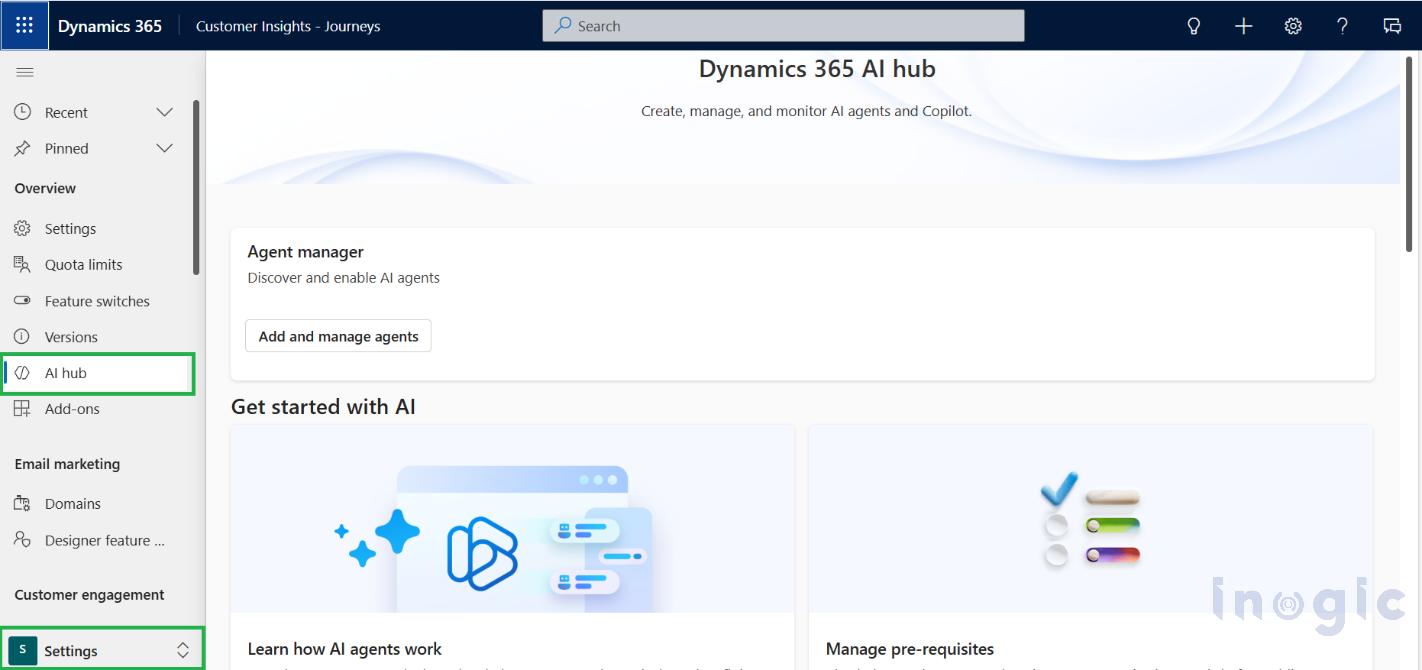
- Navigate to the Settings area and click on AI hub as below
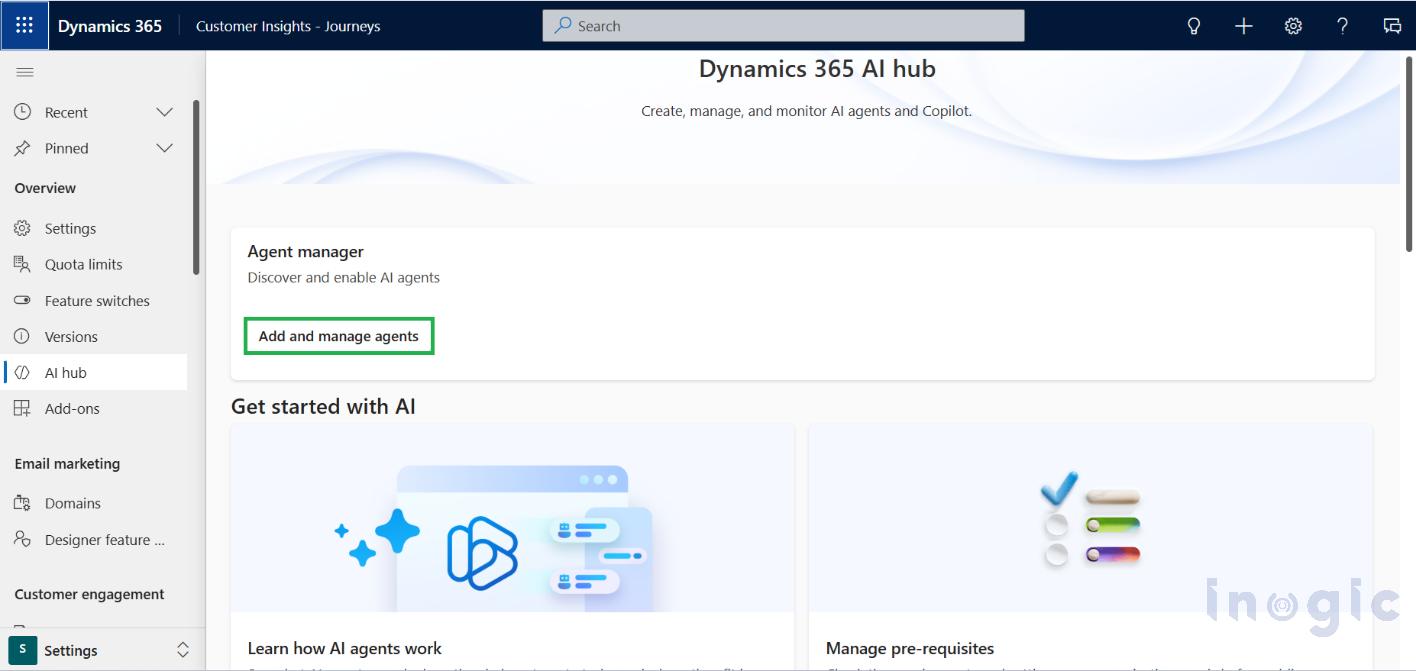
- Click on ‘Add and manage agents’
- Make sure all Prerequisites are met in order to add an agent... Read More
*This post is locked for comments