web
You’re offline. This is a read only version of the page.
close
Skip to main content
Community site session details

Community site session details

Session Id :
Power Pages - Design & Build
Answered

Incorrect ID value being given in power automate

(2) ShareShare
ReportReport
Posted on by 17
I have a flow which can be triggered using a button within a sharepoint list for a selected item to send an email. The button is made using conditional formatting.

Sometimes, sporadically, the flow will fail. On inspection it is always for the same reason when using Sharepoint Get Item: Item Not Found. This is because the ID being supplied by the manual trigger 'for this list item' is supplying the wrong ID. The ID is actually 27, but is being supplied as 100000027.
I have seen people encounter this problem before on other posts, but there has been no resolution to the problem.
 
Of course, I could check if the ID value contains '1000000', and if so remove it. But this doesn't seem satisfactory, and worry that this won't always work.
 
Does anyone have any ideas to help?
 
 
Image of the custom formatted sharepoint list within Teams:
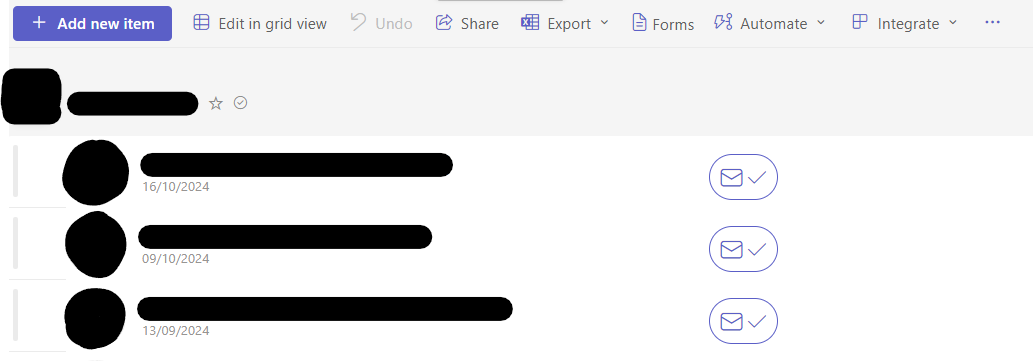
 
Image of the relevant custom formatting for the flow button:
 
Image of the inputs given to the 'for selected list item' flow trigger with ID highlighted:
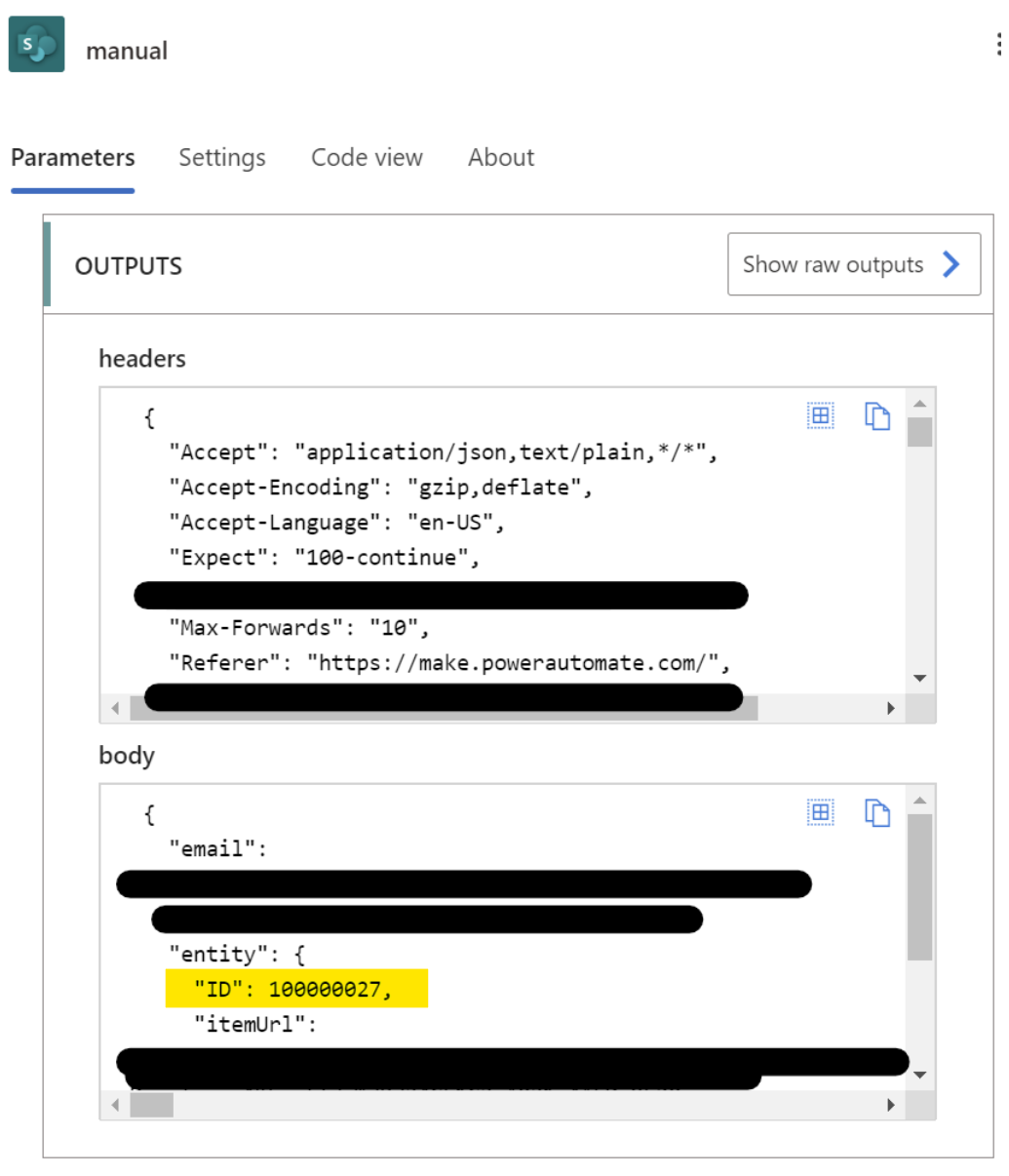
 
Image of the failed flow with incorrect ID highlighted:
 
Categories:
I have the same question (0)
  • Verified answer
    Jon Unzueta Profile Picture
    1,827 Super User 2025 Season 2 on at
    Incorrect ID value being given in power automate
     

    When using the "For a selected item" trigger, Power Automate sometimes receives the Encoded ID instead of the actual SharePoint item ID. This can happen due to:

    • Conditional formatting buttons using customRowAction or similar JSON formatting.
    • Inconsistent behavior in how SharePoint passes the selected item context.
    • A bug or race condition in how the trigger interprets the selected item.

    The value 100000027 is a classic example of an Encoded ID, where 100000000 is added to the actual ID.


    ✅ Recommended Solutions

    1. Use int(triggerOutputs()?['body/ID']) mod 100000000

    Instead of checking for 1000000 manually, use a more robust expression in your flow:


    mod(triggerOutputs()?['body/ID'], 100000000)


    This will always return the correct ID, whether it's encoded or not.

    2. Use a Compose Action Early in the Flow

    Add a Compose action right after the trigger to normalize the ID:


    mod(triggerOutputs()?['body/ID'], 100000000)

    Then use the output of this Compose action in your Get Item step.

    3. Check Your JSON Button Formatting

    If you're using JSON formatting to create the button, ensure you're passing the correct ID. For example:

    "customRowAction": {

      "action": "executeFlow",

      "actionParams": "{\"id\":\"[$ID]\"}"

    }

    🧪 Optional: Add Logging

    To help diagnose when this happens, you could log both the raw ID and the normalized one to a SharePoint list or email for future analysis.


  • Verified answer
    _BOB_ Profile Picture
    17 on at
    Incorrect ID value being given in power automate
    Hi @Jon Unzueta,

    This answer seems to make sense. Although when implimenting:
    mod(triggerOutputs()?['body/ID'], 100000000)
    I get the error: 
    The template language function 'mod' expects its first parameter to be an integer or a decimal number. The provided value is of type 'Null'. Please see https://aka.ms/logicexpressions#mul for usage details.
    To fix this, an additional Compose step is needed to convert the type before going into the mod function.
     
    Thanks for your help.
     
    Kind regards,
    Bob

Under review

Thank you for your reply! To ensure a great experience for everyone, your content is awaiting approval by our Community Managers. Please check back later.

Helpful resources

Quick Links

Coming soon: forum hierarchy changes

In our never-ending quest to improve we are simplifying the forum hierarchy…

Chiara Carbone – Community Spotlight

We are honored to recognize Chiara Carbone as our Community Spotlight for November…

Leaderboard > Power Pages

#1
Jerry-IN Profile Picture

Jerry-IN 64

#2
Fubar Profile Picture

Fubar 46 Super User 2025 Season 2

#3
Michael E. Gernaey Profile Picture

Michael E. Gernaey 27 Super User 2025 Season 2

Last 30 days Overall leaderboard

Featured topics


